Open-Source. Unlimited. White-Label.
Powering more than 300,000 web communities, online dating sites and niche social networks, DolphinPro is the world most popular social networking software platform. By far!
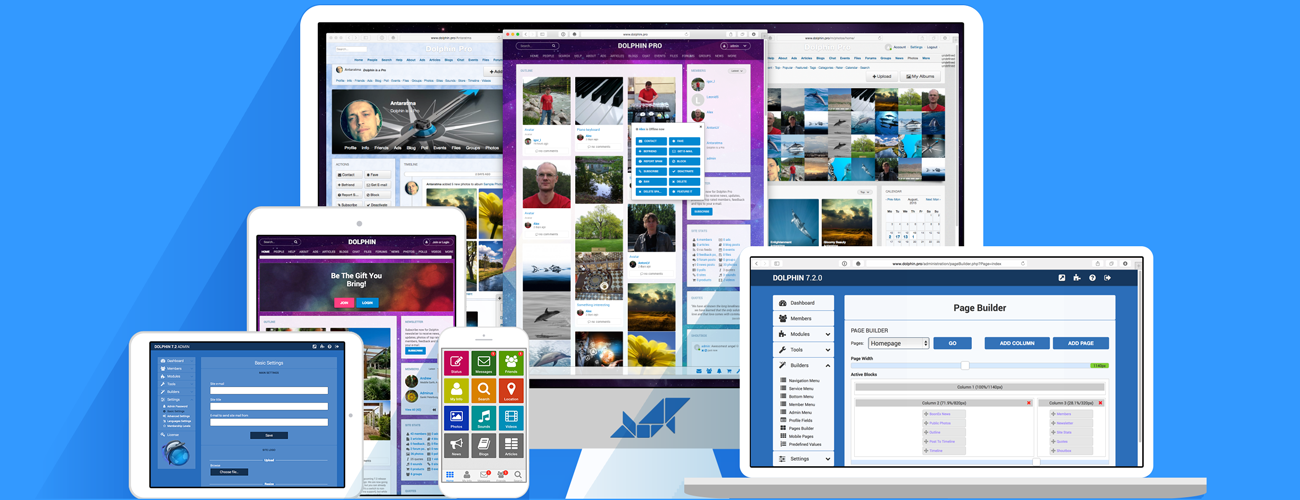
All the software you need to launch a world-class social network
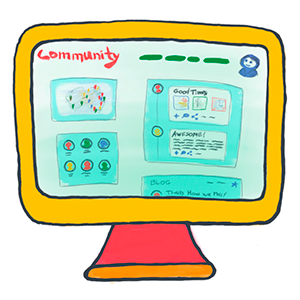
Customisable design, texts, navigation, pages, blocks, actions and permissions.
You have full control over how your site looks and works. Every link, image, block, feature and module can be customised, modified and re-arranged. most of it can be done via Admin Panel and access to source code is available for even deeper modifications.

Advanced social profiles, timelines, likes, shares, voting, friends and comments.
Social networking permeate through the entire community site and drive engagement. Users can create beautiful customisable profiles, share content, repost, comment, react and create viral growth. Friends connections build your site’s social graphs network and define content flow.
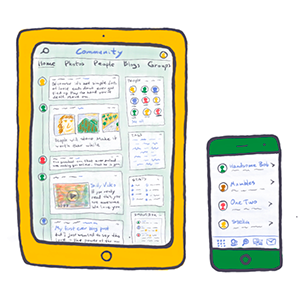
Responsive, mobile-friendly site layout plus native iOS and Android apps.
DolphinPro is mobile on all levels. The website layouts is fully responsive and tap-friendly. All design elements are optimised to adapt to any screen size right down to smartphones. On top of that you can deploy customisable native iOS and Android apps - universal, integrated with your site, branded as your own.
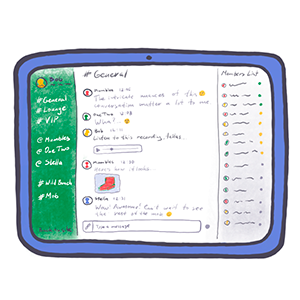
All-new WebRTC audio/video chat with private and public rooms, groups and more.
Good chat can be the most active place for community to hang-out. So, we equipped DolphinPro with a GREAT chat! Based on WebRTC technnology, Chat+ created direct peer-to-peer connection between users, minimising load on your server. Fully mobile-friendly, responsive, fast and scalable.
Modules
Anything is possible. Mix and match the modules you need.
Ads
Classified ads for site members with custom categories, prices and photos.Articles
Rich-text articles posting by site admin. Great for documents, notes and announcements.Avatars
Upload, crop and manage multiple profile avatars and select active avatar.Blogs
Personal blogs with individual categories, rich-text posting, photos and social features.Chat
Multi-user video chat with concurrent video streaming, custom rooms and rich formatting.Custom RSS
Let site members add their own custom RSS feeds to their profiles via specialised profile block.Desktop
Adobe AIR cross-platform desktop app for off-browser communication and notifications.Events
Create and manage events, with dates, attendants, photos, updates and forums connectivity.Facebook Connect
Join and login using Facebook accounts, find and match Facebook friends with site members.Feedback
Collect, select and approve feedback messages from site members and publish it on the site.Files
Upload, share, manage and publish various files, documents and media for download.Forums
Advanced discussion forums with categories, rating, moderation, auto-splitting and rich-formatting.Google Search
Site-search, indexing and searching site content using Google backend and algo.Groups
Create and manage groups, with admins, members, forums, social features, photos and other media.Memberships
Advertise and sell paid membership levels to your site members.Messenger
Flash-based Instant Video Messenger for one-to-one communication with rich text chat.News
Publish site news, announcements and alerts with custom publishing date and extended browsing.Page Access Control
Setup content, navigation and blocks visibility settings for different membership levels.Payments
Connect your payment gateways to collect payments supported by different modules.Photos
Upload, browse and share photos. Albums, multiple upload, categories, privacy controls, and more.Polls
Create Poll questions and display community replies with visualised graphs.Profile Customiser
Personalisation of member profiles - custom backgrounds, fonts and UI elements.Profiler
Display loading timings for developers. Inlcudes pages, page blocks, SQL queries and many more.Quotes
Display a special block with random quotes predefined by site admin.Shoutbox
Let them shout! Chat-like message box where anyone can post a quick line.Simple Messenger
Basic text messenger for quick communication. Displayed in member menu and always handy.Sites
Publish website profiles with descriptions and autogenerated site previews.SMTP Mailer
Use any external SMTP server or service to handle Dolphin site email notifications.Sounds
Upload and share sound files. With categories and social sharing features.Spy
Notification system integrated with other modules and displaying current activity updates to members.Store
Upload and sell products, let site members sell, receive payments and connect with buyers.Timeline & Outline
Aggregated content and updates browsers in profiles, accounts and site homepage.Videos
Upload, record and share videos. Built-in converter, social features, categories and privacy controls.Whiteboard
Flash-based social doodling with concurrent multi-user drawing support.World Map
Browse site members and published content on the world map, with grouping and zooming.ZIP Code Search
Automatic postal-code search support using GeoNames or Google.Core Features
Beautiful. Powerful. Secure.
Modules
Mix and match site modules to create unique functionality. Install default modules or choose from thousands at BoonEx Market.Multi-Language
Make your own translation or get language files from BoonEx Market. Dolphin supports multiple languages and language selector.Design Templates
Use different designs and let members choose what they like. Create your own templates or choose from the variety at BoonEx Market.Mobile Connector
Dolphin is tightly integrated Dolphin iOS and Android apps, that can be customised, rebranded and extended with additional modules.Content Privacy
System-wide privacy setting option for content posting, based on pre-defined groups or custom groups. Controlled by admin and members.Media Server
Dolphin comes with a custom Media Server software that handles audio/video streaming and processing. No need to rent expensive media server hosting!XML SiteMaps
Tell Google and other search engines how to index your site. SiteMaps are calibrated for optimal Dolphin site indexing and can be adjusted.Search
Site-wide search system that works with all compatible modules and provides grouped search results with pre-filtering by modules.Vector Graphics
Retina-displays support through use of vector-based interface elements, making your site look beautiful at all resolutions, on any devices.CSS3
Along with vector graphics Dolphin uses CSS3 effects to create seamless, modernlooking and adaptable userinterface elements.Social Layer
Member Profiles, Friends Connections, Privacy Groups, Greetings, Status Messages, Favourites, Matching, Online Statuses, and more!Comments
Multi-level, rich-text comments that work with site content and support video/audio uploads, recording, editing, replies, voting and moderation.Social Sharing
Re-post content from Dolphin site to external social networks using build-in social sharing function that works with different content modules.Social Buttons
Like, Pin, Twit and G+ away! Social buttons, integrated with applicable content modules provide simple and effective way to promote viral content.Rating
One-click rating/voting system for various content modules and profiles, featuring unique vote verification, "stars" and votes counting.Subscriptions
Tracking of content and profile updates through built-in subscription system, with unified list and manageable email notifications.Private Messages
Core communication tool for site members - Mailbox that works as an in-site messenging system, handling contacts, block lists and connections.RSS Feeds
Dispay your favorite RSS feeds via "RSS blocks" and syndicate your site content effectively via built-in automatic RSS feeds for various content types.Advanced Browsing
Browse content with calendar, mini-calendar, tags with tag-cloud, categories, extended display modes and adjustable results count.Server Audit System
Automatic hosting server setup verification system that tests Dolphin hosting environment and proposes improvements for optimal site performance.Access Control Lists
Fine-tune site memberships by pre-setting access levels and leveraging the built-in integration with your site payment system.Database Backups
Save and download your precious site content and members data. Backup and restore tools will keep you safe in case of emergency.Content Moderation
Set pre-moderation mode to check new profiles and content before it goes live, or go for post-moderation for quick activation and posting.Mass-Mailer
Reach your site members easily and effectively by email using the built-in Mass Mailer for Admin. Send announcements, site updates and promo offers.Site Builders
Page Builder, Mobile Builder, Navigation Builder and Profile Fields Builder provide limitless opportunities when customizing your site.Stat Charts
Analyse and keep track of your site statistics via admin overview charts reporting membership base growth and content posting dynamics.Banner Ads
Monetize your site through built-in support of custom-HTML banner ads or use it to promote your own special offers, news and announcements.Database Pruning
Keeping your site light and fast by routinely cleaning-up useless data, like old logs, messages and unvisited profiles. You control what is to be cleared and when.Security
Powerful security layer with world-class protection tools, like HTMLPurifier filtering, built-in prevention of CSRF attacks and optional PHPIDS protection.SEO-Friendly
Search-engine-optimised URLs and links, XML site-maps, automatic meta descriptions, SE-friendly site structure and Google Speed tuning.Caching For SPEED!
Cached DB queries, CSS/JS files, templates, page blocks, menus and profiles. Powered by Memcached, APC, Xcache or filebased cache engine.SPAM Protection
Combat automated spam by using world-class protection systems - Akismet, Captcha, DNS/URI-DNS blocklists and blocking of Countries and IPs.
The new Dolphin solution is powered by UNA Community Management System.
