Modules
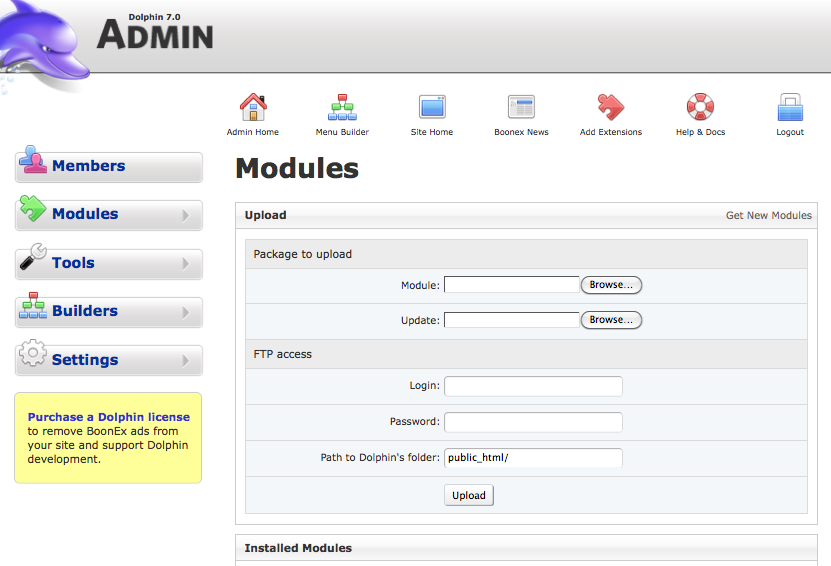
You should have read about modules in the Modules section, which is where you manage modules separately once they are installed. This section, Tools>Modules, is all about the uploading of the new modules, installing/uninstalling or upgrading the modules.
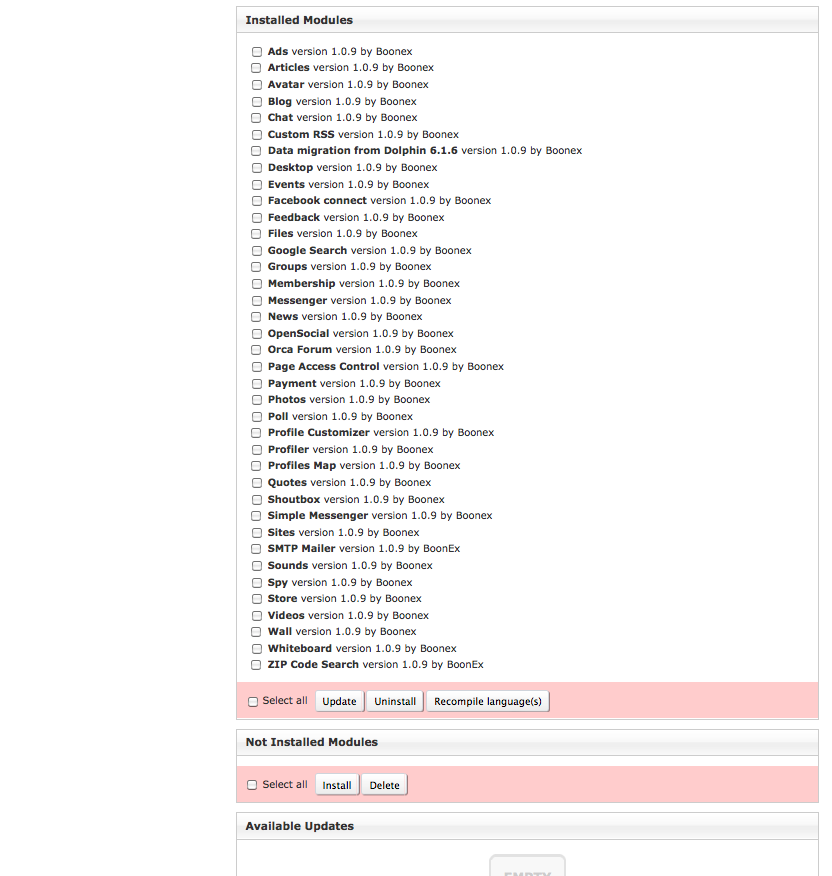
Several modules will be installed by default when you first install the Dolphin software. You can choose from the additional modules available in the "Not Installed" section to customize your website. However, we'd advise you not to install all modules at once but go with step by step installation process of 2-3 at once. This is because some modules will require additional adjustments of permissions of the files or folders during installation. You will be promptly advised what to do via Operation Results box at the top of the page when installing particular module.
You can also find additional third party Modules, both free and paid, in the Market. Before choosing a third party module, check the compatibility with your version of Dolphin and read the reviews of the product as Dolphin offers no support or guarantee of any kind for these add ons.
""How to install modules?"" You will see a list of modules that are currently available to install under the Not Installed Modules section of the Tools>Module page. All you have to do is check the box near the module which you may want to install and press the button Install. Operation Results will advise you whether installation is completed or not, or some additional adjustments of permissions are required, or other particular module is required to be installed before this one. If the installation is successful the Operation Results will inform about that and the module will appear in the Installed Modules.
In addition to managing your module installations, Tools>Modules is also where you can upload new packages, set your FTP access and Recompile Languages for most individual modules. To Recompile Languages, select the module(s) and click the Recompile language(s) button. To Recompile Languages for the Forum Module, go to the forum page and click "Manage Forums" where you will see a link to Compile Language on the right hand side of the screen below the breadcrumb menu. To Recompile Languages for the entire system, look at Language Settings.


Attachments (2)
-
Tools-Modules.png
(108.2 KB) -
added by ggsinc 12 years ago.
Modules Screenshot 1
- Tools-Modules2.png (170.9 KB) - added by ggsinc 12 years ago.
Download all attachments as: .zip