

Notes
compatible compatibility not specified not compatible
Version: 1.2.0
Added: 27.06.13
Updated: 05.02.14
Category: Social
Tags: extensions, note, sticker, tagging, facebook, aqb soft, dolphin 7.1
Demo: http://dolphin71.aqbsoft.com username - aqbtest,password - xxxxx
Support Forum: http://www.boonex.com/forums/topic/Notes-from-AntonLV.htm
License: IMPORTANT: This is a commercial product made by AQB Soft. It cannot be modified for see more
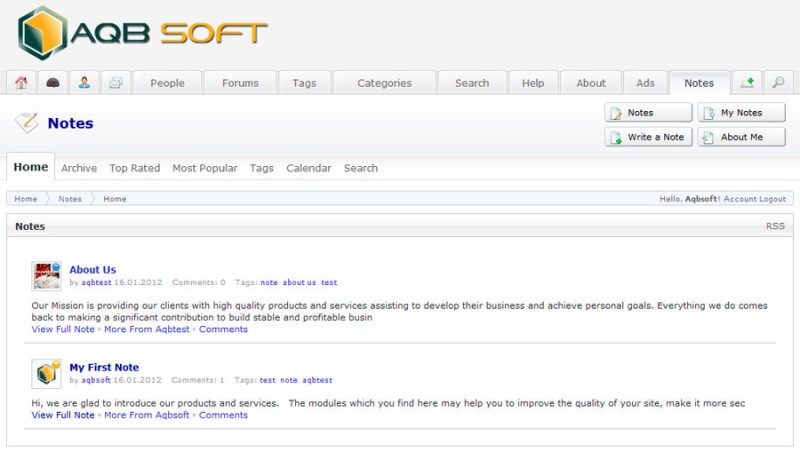
The module adds Facebook like notes on your site. Check the list of features below
You may test our mods, plug-ins and modules on our demo sites http://www.dolphin71.aqbsoft.com, http://www.dolphin70.aqbsoft.com and http://www.dolphin61.aqbsoft.com And if you have some questions feel free to ask.
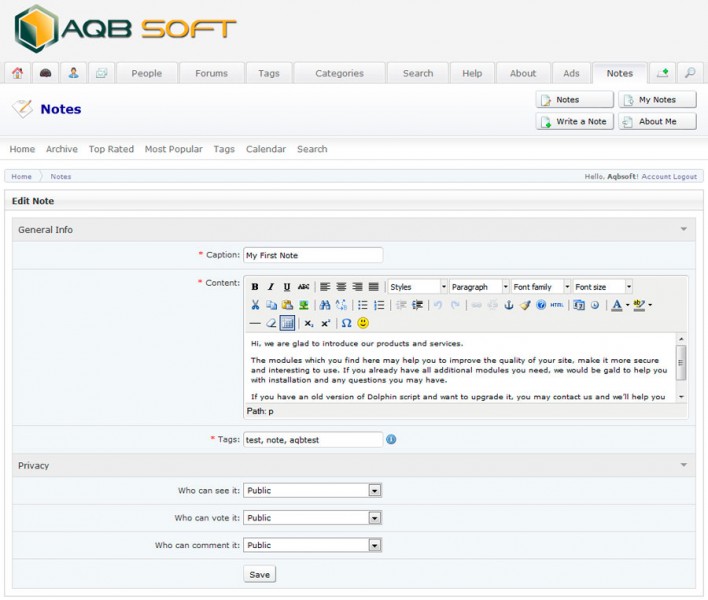
- Write a note using HTML editor (image 1).
- Use Privacy settings to control the access to your note. You may separately set privacy for different parts of the note. They are the note itself, comments, votes.
- Use Tagging.If you want to write a note about another member of the site, you just need to enter his username as a tag in your note. In this case he'll see this note on 'Notes About Me' page.
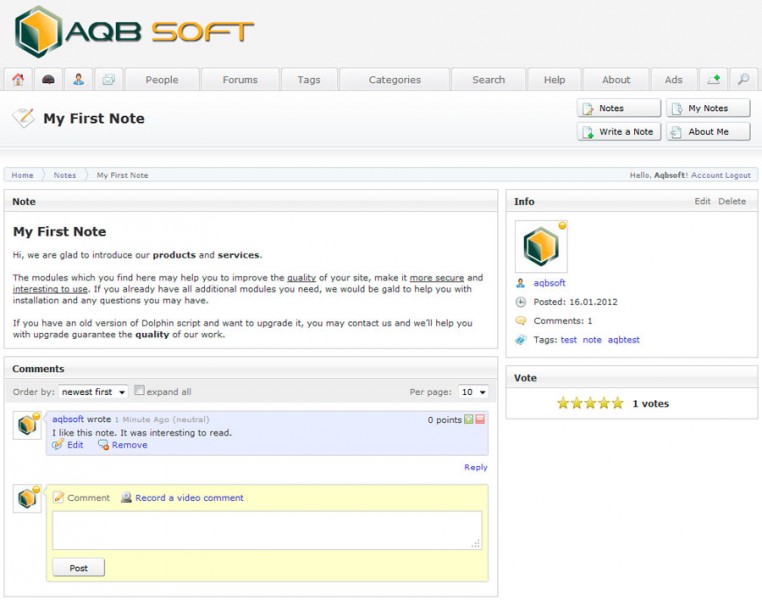
- Each Note has its own page.The available blocks are Note, Comments, Votes and Addition Information about note and its author (image 2).
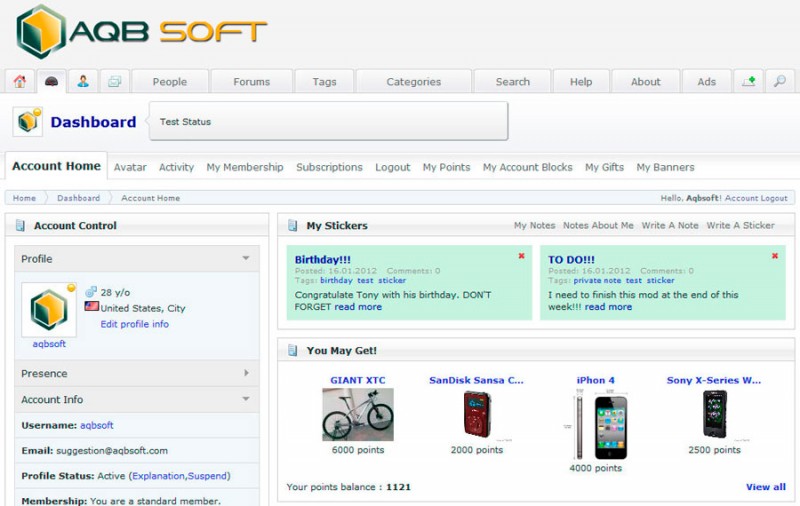
- Create Sticker. If you create a Private note ("Who can see it" privacy setting is set to 'Me Only'), it will be displayed on My Account (Dashboard) page. It allows you to remind yourself about important events, actions, TODOs. Also it can be created by clicking 'Write a Sticker' on My Account page. (image 3)
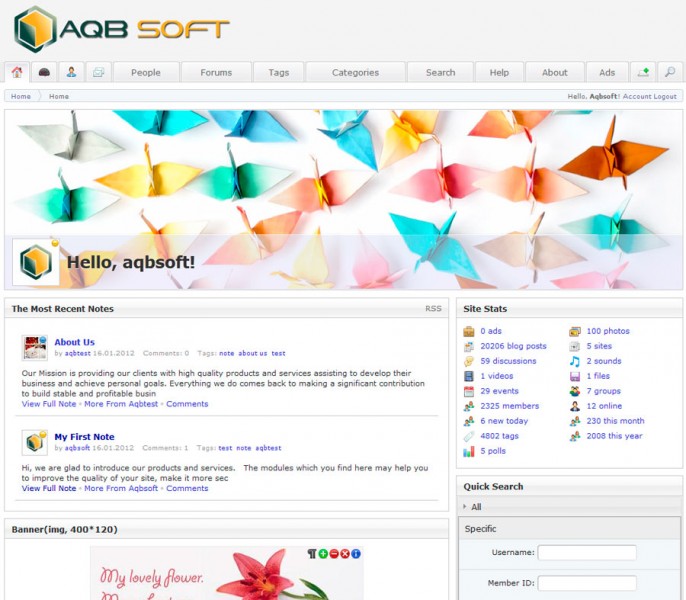
- The most Recent Notes on site's home page.Site's home page has a block with a list of the most recent public notes (image 4).
- Notes Home page and the other notes browsing pages.Notes Home page has a list of the latest notes. Also you may browse notes on Archive, Top Rated (the most voted notes), Most Popular (the most viewed notes), Tags and Calendar pages (image 5).
- RSS Feed.RSS Feed of public notes is available on Notes Home page.
- Search by keyword.
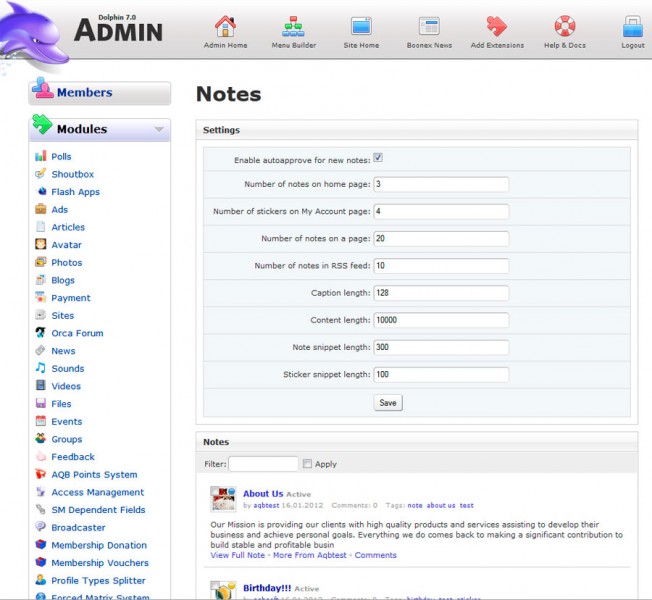
- Administration panel. Site's administrator can manage notes and change settings via Note's admin panel (image 6).
- Use Membership Levels to allow your members to write notes.The module was integrated with default Dolphin's membership levels engine.
- Integration with Timeline (timeline and outline)
- Integration with Spy
You may test our mods, plug-ins and modules on our demo sites http://www.dolphin71.aqbsoft.com, http://www.dolphin70.aqbsoft.com and http://www.dolphin61.aqbsoft.com And if you have some questions feel free to ask.


Support Forum Feed
More From AntonLV


Customers Also Bought

Below is the legacy version of the Boonex site, maintained for Dolphin.Pro 7.x support.
The new Dolphin solution is powered by UNA Community Management System.
The new Dolphin solution is powered by UNA Community Management System.
